CoursePilot
Turning scattered Canvas information into answers students can act on.
Product Design · UX Research · Interaction Design · Figma · Solo Project · 2026 · Ongoing
Conceptual Canvas integration — designed as a Figma prototype, not an official Canvas or university product.
Overview
I designed an AI assistant inside Canvas that helps students find course information, prioritize work, and build realistic study plans.
CoursePilot is built to answer open-ended questions about coursework, not to run through a fixed menu of features. These are examples from the Figma prototype — not the full range of what it can handle.
“Help me plan my night”
Prioritizes work around the time a student actually has.
“What did I miss this week?”
Summarizes assignments, announcements, and course changes.
“What do I need on my final to pass?”
Calculates the target and exposes the inputs behind it.
“What’s the late work policy?”
Answers from the syllabus and links back to the original source.
Prototyped in Figma
- Canvas entry point, popup, and full workspace
- Plan My Night, with Adjust Plan and Add to Calendar
- Catch Me Up
- Sourced syllabus answers
- Grade calculation
Researched, not yet designed
- Uncertainty and error states
- Privacy and data-access controls
- Academic-integrity refusals
Not yet done
- Usability testing
- Canvas API feasibility review
- Engineering — this is a design prototype, not built software
The problem
Students had the information. Finding and acting on it was the problem.
Assignments, announcements, grades, syllabi, files, and deadlines are all in Canvas — just spread across different pages, each organized a little differently by each professor. Students weren't missing information because it didn't exist; they were missing it because nothing connected it to what to do next. CoursePilot's goal: help students understand what changed, decide what to work on, and build a realistic study plan — without doing the work for them.
Research → product decisions
I talked to five students about how they actually get through Canvas.
I interviewed five college students who regularly use Canvas to understand how they track coursework, decide what to prioritize, find course information, and think about using AI for academic planning.
01
Important information gets missed
Students relied heavily on the Canvas calendar, but announcements and other important updates often lived elsewhere.
What I designed
A Catch Me Up feature combines new announcements and upcoming assignments into one weekly summary.
02
Prioritization requires more than a due date
Students considered deadline, estimated effort, difficulty, and grade importance when deciding what to work on first.
What I designed
Plan My Night builds a schedule around deadline and estimated effort rather than listing assignments chronologically.
03
Students want answers, not more navigation
Students often knew what they needed to know but had to search across Assignments, Announcements, Modules, Syllabus, Inbox, and other Canvas pages.
What I designed
Conversational questions return structured answers directly, with a link back to the original Canvas page.
04
AI needs to be verifiable
Students said inaccurate academic information would quickly erode trust and wanted to see where AI-generated answers came from.
What I designed
Recommendations and answers expose their source, inputs, or reasoning — “Why this?”, Grades used, Sources, View in syllabus.
05
Explanations should be small, and plans editable
Students wanted to know why the AI prioritized certain assignments — but preferred a small expandable dropdown over a large paragraph, and wanted to change priorities themselves.
What I designed
A compact “Why this?” link on each recommended task, and Adjust Plan to change the plan before acting on it.
Assist with understanding and planning — not completing graded work.
Where it lives
Students didn’t need another productivity app. They needed help inside the tool they already use.
CoursePilot is accessible directly from Canvas rather than as a separate productivity app. Students can use the popup for quick questions or expand into the full workspace when a task needs more context.
01 Canvas dashboard
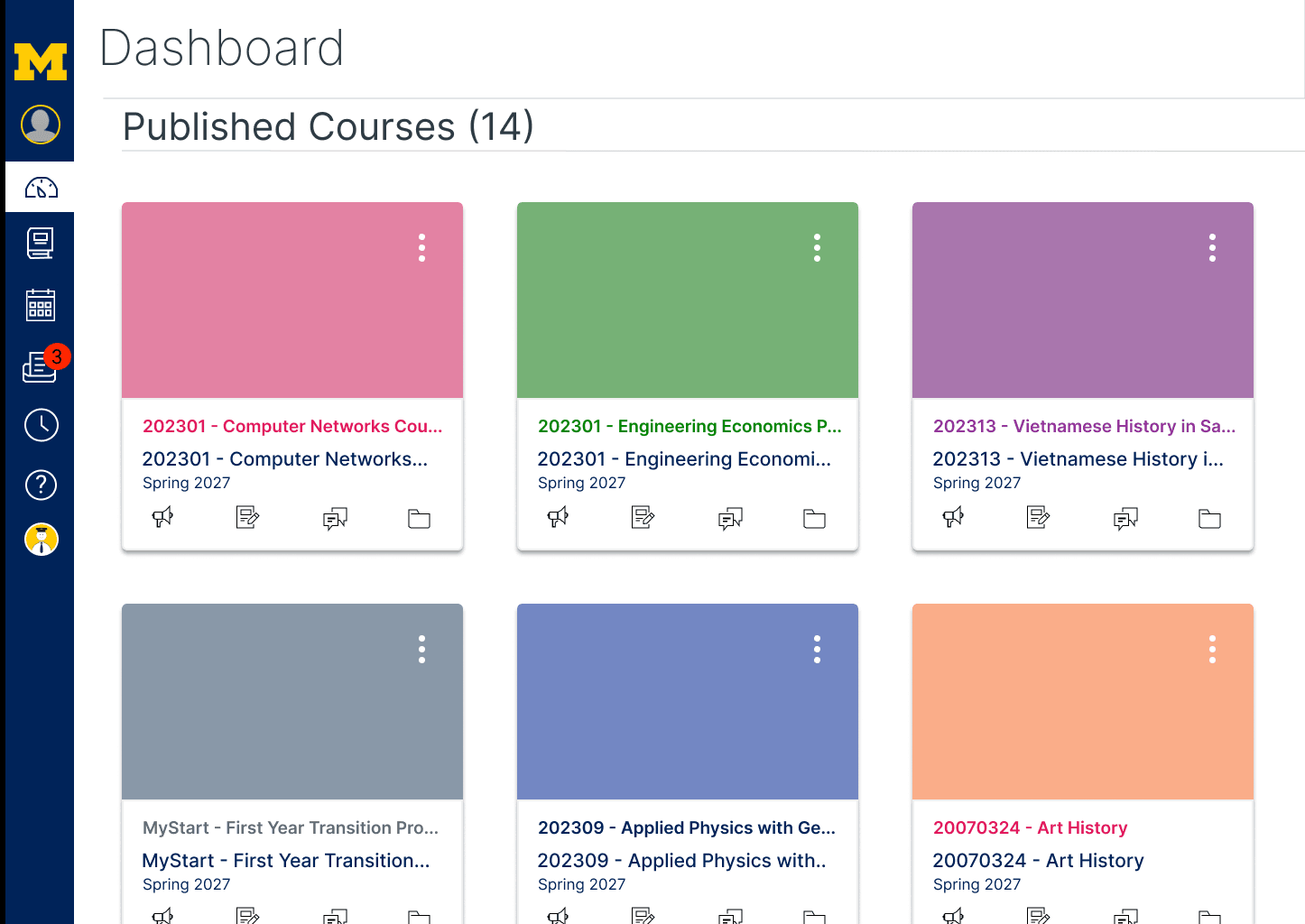 New: CoursePilot in the Canvas nav
02 CoursePilot popup
03 Full CoursePilot workspace
Quick entry
Ask without leaving the current Canvas workflow.
Deeper workspace
Expand when a task requires planning, comparison, or follow-up.
Mapping the interactions
Three representative tasks, mapped end to end.
I mapped how conversation, Canvas information, AI processing, and student decisions connect — including where a student can push back and regenerate.
Plan My Night
Catch Me Up
Ask CoursePilot
Early exploration
Exploring the experience before polishing the interface.
Before any high-fidelity screens, I sketched how the dashboard, the AI popup, and daily summaries should feel as raw structure.
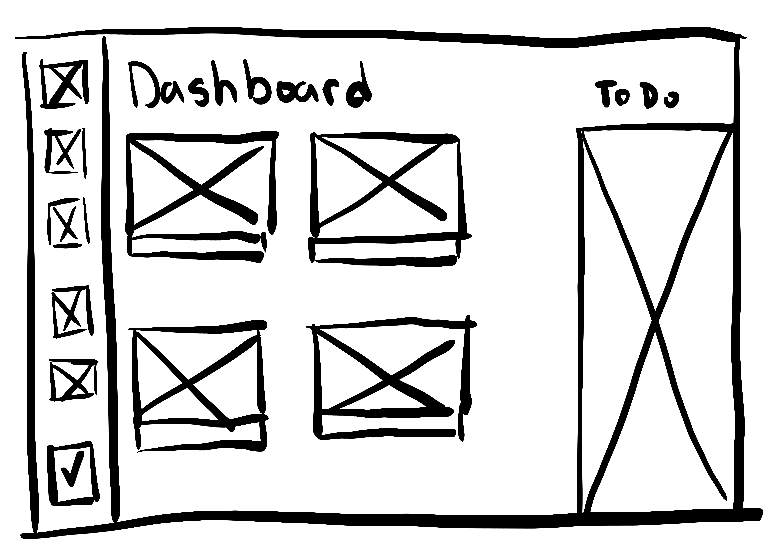
Dashboard structure
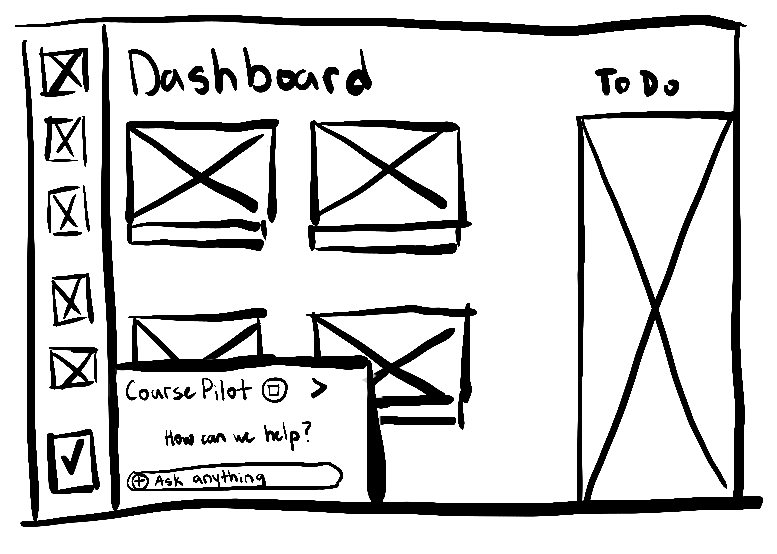
CoursePilot popup entry
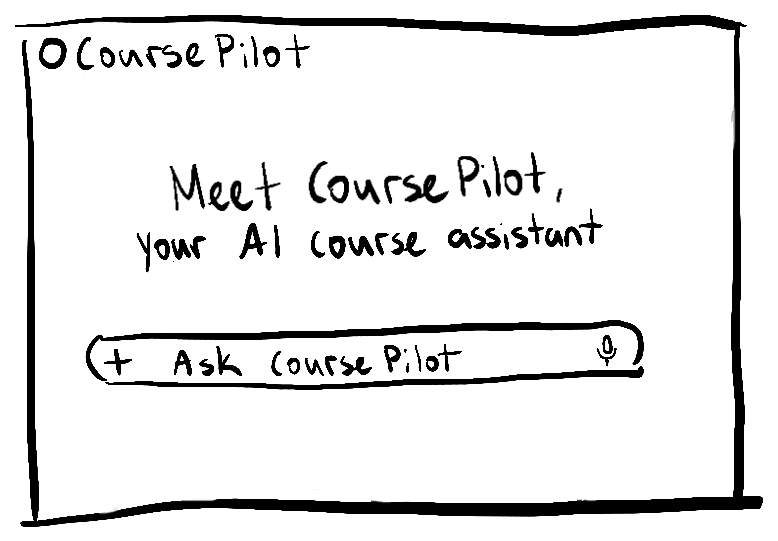
Welcome / ask CoursePilot
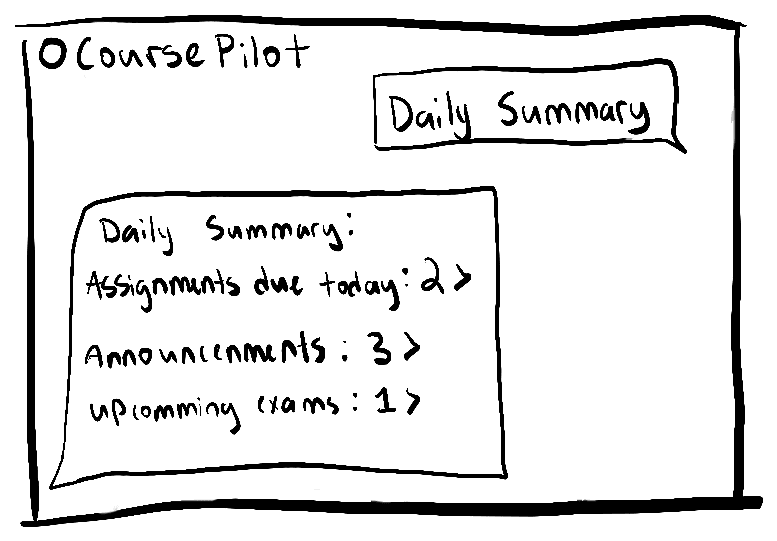
Daily summary concept
Design evolution
From conversational answers to structured decisions
The problem
Early CoursePilot concepts relied heavily on conversational, chat-style responses. As I designed more complex tasks — study planning, grade calculations, weekly summaries — long text responses became difficult to scan.
The decision
Conversation stayed the input. The response became structured UI, designed around the task.
Plan My Night
Early — conversational response
Final — structured schedule
Grade calculation
Early — conversational response
Final — structured breakdown
- — Harder to scan
- — Reasoning buried
- — Limited direct action
- + Scannable hierarchy
- + Visible reasoning + sources
- + Editable/actionable output
The shift wasn’t from chat to dashboard. It was from generic AI output to task-specific interfaces.
Final experience
A conversational layer that adapts to what the student needs.
CoursePilot lets students ask questions naturally while adapting the response to the task — from quick answers to structured plans, summaries, and calculations.
01 · Plan My Night
Conversation in. Actionable interface out.
Students don't need to learn special commands. They can describe their situation naturally, while CoursePilot structures the response around the decision they need to make.
“I have 3 hours tonight. What should I work on?”
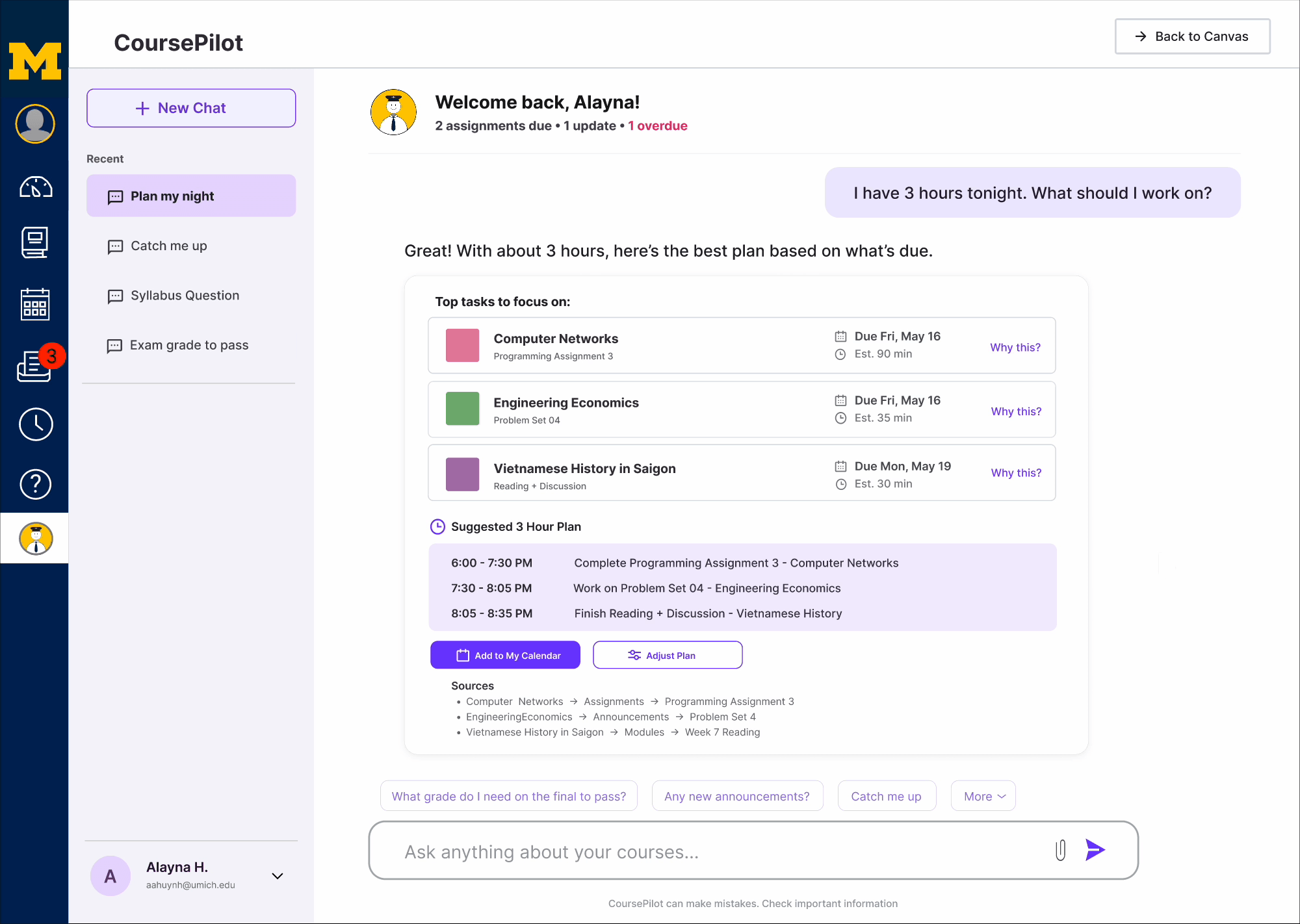
Priority
Tasks are ordered using more than due date alone.
Estimated effort
The response accounts for how much time the student actually has.
Why this?
Students can understand why a task was prioritized.
Editable plan
AI proposes the schedule; the student remains in control.
Sources
Recommendations stay connected to the underlying Canvas information.
Acting without losing context
Actions such as adjusting a recommendation or adding a calendar event happen in lightweight overlays so students can make changes without losing the original conversation.
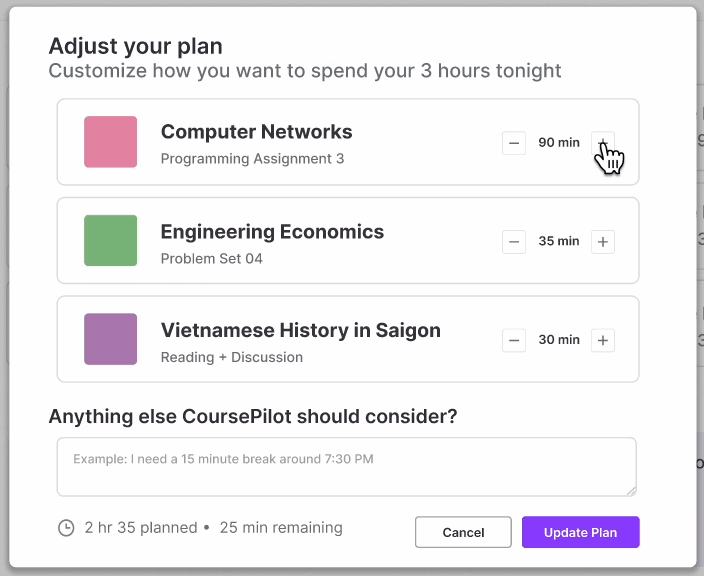
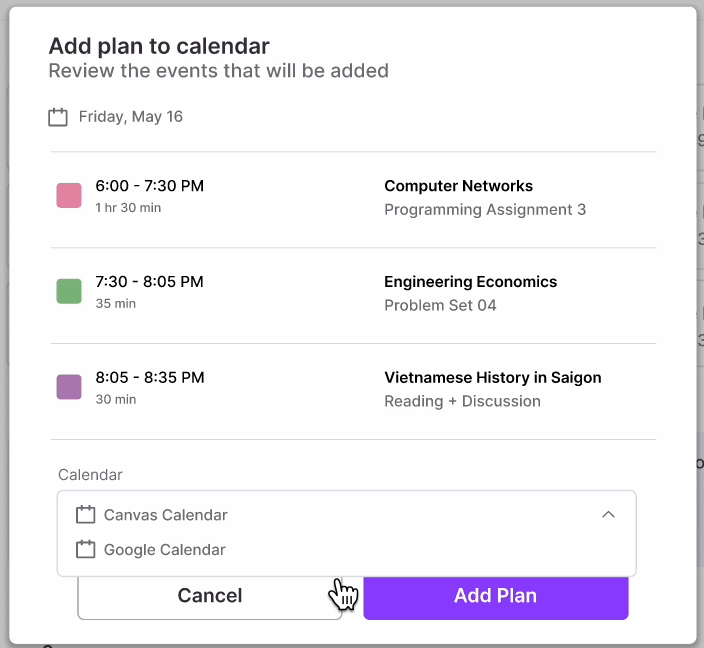
AI recommends. Students decide.
02 · Catch Me Up
Understand what changed without checking every course.
CoursePilot brings assignments, announcements, and recent course changes into one summary so students can quickly understand what needs attention.
Needs attention
Surfaces the most time-sensitive coursework first.
Important updates
Separates course changes and announcements from assignments.
Back to Canvas
Students can open the original item when they need more detail.
03 · Sourced Q&A
Answers that don't hide the source.
For straightforward course questions, CoursePilot keeps the response concise and provides a direct path back to the original Canvas material.
Answer
Concise response to the student's question.
Source
Shows where the information came from.
View in syllabus
Lets the student verify the original material.
Designing for appropriate trust
The goal wasn’t to make AI look certain. It was to make important answers inspectable.

Why this?
Explains why CoursePilot made a recommendation.
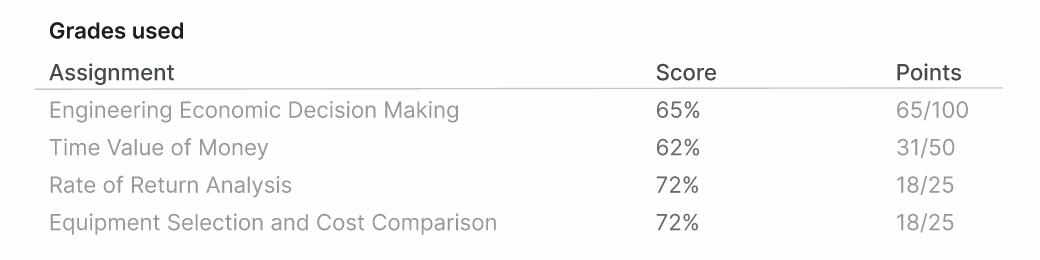
Grades used
Shows the inputs behind calculations.

Sources
Shows where the answer came from.

View in syllabus
Lets students verify the original material.
Validation
What I'd validate next
I haven't run usability testing on CoursePilot yet. These are the specific questions I'd want to answer first, not conclusions from testing that's already happened.
Prioritization
Do students agree with the order CoursePilot recommends?
Trust
Do sources and explanations meaningfully increase confidence?
Control
Do students understand how to modify AI-generated recommendations?
Feasibility
How should CoursePilot respond when Canvas information is incomplete, conflicting, or unavailable?
A next-stage prototype would also explore implementation feasibility through authorized Canvas APIs and institutional integration requirements.
Reflection
Designing an AI product wasn’t primarily about designing a chat interface.
The biggest shift in CoursePilot was realizing that designing an AI product wasn't primarily about designing a chat interface. I had to decide when AI should summarize, when it should recommend, when students needed control, and when an answer required supporting evidence.
Next steps
Those decisions are still the ones I'd keep refining — not by adding more AI features, but by getting sharper about when CoursePilot should stay quiet and let a student just work.